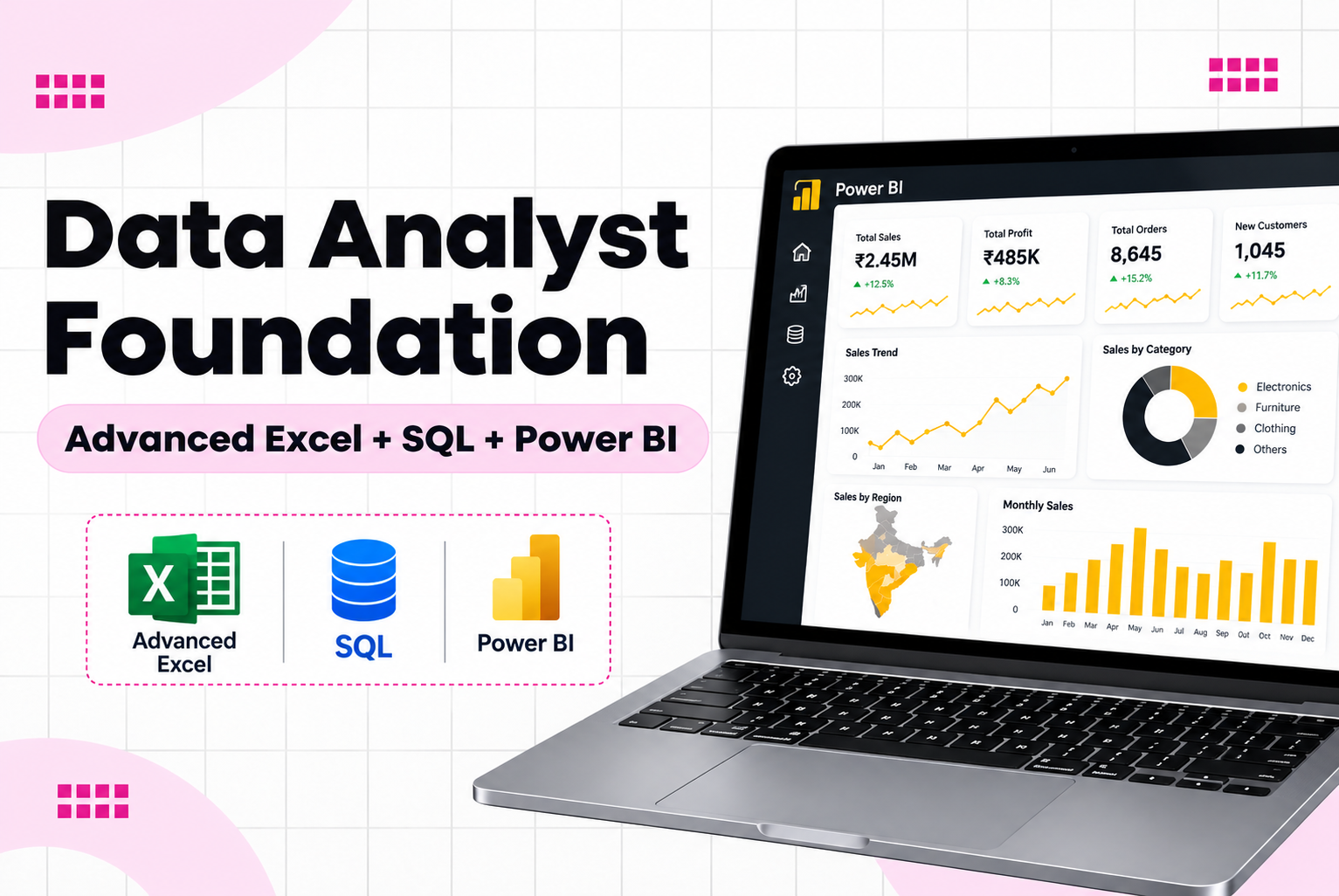
Data Analyst Foundation Training in Borivali MumbaiThe Data Analyst Foundation Course in Borivali at JustAcademy is designed for freshers graduates working professionals MIS executives and career switchers who want to develop practical skills in data analytics This training program focuses on three essential tools used in data analysis and business
Data Analyst Foundation Training in Borivali, Mumbai
The Data Analyst Foundation Course in Borivali at JustAcademy is designed for freshers, graduates, working professionals, MIS executives and career switchers who want to develop practical skills in data analytics. This training program focuses on three essential tools used in data analysis and business reporting: Advanced Excel, SQL and Microsoft Power BI.
Data analytics helps organizations understand business performance, identify trends, track key performance indicators (KPIs), and make informed decisions using data. Professionals with data analysis skills can explore opportunities in reporting, business intelligence, operations analytics, sales analytics and data-driven decision-making.
At JustAcademy, learners develop a practical understanding of the data analytics process, from organizing raw datasets and performing calculations to querying databases and building interactive dashboards. The training combines concept explanations, hands-on exercises, practical assignments and project-based learning to help students apply their knowledge to business scenarios.
Whether you are starting your career or looking to improve your reporting and analytical skills, the Data Analyst Foundation Training provides a structured starting point for learning the tools used in everyday analytics work.
Students interested in developing stronger database querying and dashboard development skills can also explore our Power BI and SQL Training in Borivali.
What Is a Data Analyst Foundation Course?
A Data Analyst Foundation Course introduces learners to the essential tools, techniques and processes required to collect, organize, analyze and present data. It focuses on developing a foundation in spreadsheet analysis, database querying, data transformation, visualization and business reporting.
A data analyst may work with sales figures, customer records, inventory information, financial reports, operational data or marketing performance metrics. The goal is to convert raw data into useful information that supports business decisions.
The Data Analyst Foundation program at JustAcademy focuses on three important areas:
Advanced Excel: Organize datasets, apply formulas, analyze information and prepare structured reports.
SQL: Retrieve, filter, combine and summarize information stored in relational databases.
Microsoft Power BI: Transform data into interactive dashboards, visual reports and business performance summaries.
By learning these tools together, students can understand how data moves from a raw dataset to an analytical report. The skills developed during training can also provide a foundation for learning additional analytics and business intelligence technologies.
Why Learn Advanced Excel, SQL and Power BI?
Advanced Excel, SQL and Power BI serve different purposes in a data analyst's workflow. Together, they help learners work with data at different stages of the analysis process.
Advanced Excel for Data Analysis
Excel is widely used for data organization, calculations, reporting and preliminary analysis. Advanced Excel skills help learners handle datasets, identify patterns, perform calculations and create summaries.
Students learn to work with formulas, lookup functions, conditional formatting, PivotTables, charts and structured reports. These skills are useful for preparing MIS reports, tracking business performance and analyzing operational information.
SQL for Database Analysis
SQL, or Structured Query Language, is used to retrieve and analyze information stored in relational databases. Data analysts use SQL queries to select relevant records, filter information, combine tables and summarize business data.
Learning SQL helps students understand how to work with structured datasets and answer questions about sales, customers, products and transactions.
Power BI for Business Intelligence
Microsoft Power BI is used to transform data into interactive reports and dashboards. It helps users monitor KPIs, compare performance, explore trends and communicate findings through visualizations.
Students develop an understanding of data cleaning, Power Query, data modelling, relationships, DAX fundamentals and dashboard design.
Advanced Excel Training for Aspiring Data Analysts
Advanced Excel is an important foundation for data analysis because it helps learners organize information, perform calculations and prepare reports efficiently.
The Excel training component introduces students to spreadsheet techniques used in business reporting and data analysis.
Topics Covered in Advanced Excel
Excel interface and workbook management
Data entry, formatting and structured tables
Sorting and filtering datasets
Removing duplicates and handling missing values
Essential formulas and functions
IF and nested IF functions
SUMIF, SUMIFS, COUNTIF and COUNTIFS
VLOOKUP, XLOOKUP and other lookup techniques, where supported by the Excel version
Text and date functions
Conditional formatting
Data validation and dropdown lists
PivotTables and PivotCharts
Charts and graphical data presentation
Sales reports and MIS reporting
Data summaries and business calculations
Practical Excel Exercises
Students can practice analyzing sales data, calculating monthly revenue, identifying top-performing products, comparing employee performance and preparing management reports.
These exercises help learners understand how Excel can be used to answer practical business questions rather than simply entering and formatting data.
SQL Training for Data Analysis
SQL is an essential skill for professionals who need to work with information stored in relational databases. It allows analysts to retrieve specific records, combine related tables and summarize large datasets using queries.
The SQL component introduces students to database fundamentals and practical query writing.
Topics Covered in SQL
Introduction to databases and relational database concepts
Tables, rows, columns and data types
SELECT statements
WHERE conditions
ORDER BY and sorting
DISTINCT values
AND, OR and logical operators
Aggregate functions such as SUM, COUNT, AVG, MIN and MAX
GROUP BY and HAVING
SQL joins, including INNER JOIN and LEFT JOIN
Basic subqueries
Date and string functions
NULL value handling
Filtering and summarizing business records
Sales and customer data analysis
Writing queries to answer business questions
Practical SQL Exercises
Learners can practice retrieving monthly sales figures, finding top-selling products, comparing customer purchases, summarizing revenue by category and combining information from related tables.
The objective is to develop confidence in writing queries and interpreting the results to support analytical tasks.
Microsoft Power BI Training for Data Visualization
Microsoft Power BI helps analysts convert datasets into interactive reports and dashboards. The Power BI component introduces learners to the process of connecting data sources, transforming data, creating relationships and presenting insights visually.
Topics Covered in Power BI
Introduction to Power BI Desktop
Connecting Excel, CSV and supported database sources
Importing and preparing datasets
Power Query fundamentals
Cleaning and transforming data
Removing duplicates and handling missing values
Data types and column transformations
Data modelling and table relationships
Introduction to DAX
Measures and calculated columns
Basic KPI calculations
Charts, tables, cards and matrix visuals
Slicers, filters and interactive reports
Dashboard layout and visual design
Sales and business performance dashboards
Publishing and sharing reports, where included in the training
Practical Power BI Exercises
Students can create dashboards that show total sales, revenue trends, product performance, customer distribution and monthly comparisons.
They learn to organize visualizations, apply filters, select suitable charts and present information in a way that helps users understand business performance.
Data Analyst Foundation Course Curriculum
The program follows a practical learning path covering spreadsheet analysis, SQL querying and Power BI reporting.
Learning area
Key topics
Advanced Excel
Formulas, lookup functions, PivotTables, charts and reporting
SQL
Queries, filters, joins, aggregate functions and subqueries
Power Query
Data cleaning, transformation and preparation
Power BI
Data visualization, reports and interactive dashboards
Data Analysis
Identifying patterns, comparing results and interpreting information
Business Reporting
KPIs, MIS reports and performance summaries
Practical Projects
Dataset analysis, report preparation and dashboard creation
The exact sequence and depth of topics can be confirmed with the JustAcademy training team before enrollment.
Practical Data Analyst Projects
Project-based learning helps students apply Excel, SQL and Power BI concepts to realistic business scenarios. The following are suitable project examples for a Data Analyst Foundation portfolio.
Project 1: Sales Performance Analysis Using Excel
Work with a sales dataset containing order dates, products, categories, quantities, prices and revenue.
Students can calculate total sales, compare monthly performance, identify top-selling products and prepare a summary report using Excel formulas, PivotTables and charts.
Skills developed: Advanced Excel, data cleaning, sales analysis and reporting.
Project 2: Customer and Transaction Analysis Using SQL
Use a relational dataset containing customer details, orders, product information and transactions.
Write SQL queries to identify high-value customers, summarize purchases, compare sales by category and analyze transaction trends.
Skills developed: SQL queries, joins, grouping, filtering and data interpretation.
Project 3: Interactive Sales Dashboard Using Power BI
Transform a sales dataset into an interactive Power BI report with revenue, profit, product performance and monthly trends.
Use suitable charts, KPI cards, slicers and filters to allow users to explore the information.
Skills developed: Power Query, data modelling, visualization, DAX fundamentals and dashboard development.
Project 4: End-to-End Data Analytics Workflow
Combine Excel, SQL and Power BI in one project. Prepare and inspect a dataset, retrieve relevant information using SQL, analyze the results and build a Power BI dashboard to communicate the findings.
This project helps students understand how multiple tools can work together in a data analysis workflow.
Project availability and the final project scope should be confirmed with the trainer.
Who Should Join the Data Analyst Foundation Course?
The training is suitable for learners who want to start developing practical data analysis skills.
Freshers and graduates: Build a foundation in analytics tools and reporting.
Working professionals: Improve Excel, SQL and dashboarding skills.
MIS and reporting executives: Strengthen data handling and report preparation.
Operations and sales professionals: Learn to analyze performance metrics and business data.
Career switchers: Begin learning tools used in data analytics and business intelligence.
Beginners: Start with the fundamentals and progress toward practical exercises and projects.
Prior experience with data analytics is not essential for a foundation-level learning path. Basic computer skills and regular practice will help learners get more from the training.
Career Opportunities After Data Analyst Foundation Training
After developing practical skills in Excel, SQL and Power BI, learners can explore entry-level opportunities related to reporting and data analysis, depending on their overall skills, qualifications and experience.
Potential roles include:
Junior Data Analyst
Data Analyst Trainee
MIS Executive
Reporting Analyst
Junior Business Intelligence Analyst
Operations Analyst
Sales Reporting Analyst
Power BI Reporting Assistant
Some positions may require additional skills, experience or knowledge of other technologies. Completing a course does not guarantee employment, but practical projects, a well-prepared resume and interview practice can help candidates demonstrate their abilities.
Interested in Business Analysis as a Career?
Data analysis and business analysis overlap, but they are not identical. Data analysts focus heavily on examining data and communicating insights, while business analysts often work on business requirements, processes, stakeholder communication and solution documentation.
If you want to explore business requirements, stakeholder management, process analysis, BRD/FRD documentation and related business analysis skills, visit our Business Analyst Course in Borivali.
This course is a useful related option for learners who want to explore the broader business analysis field in addition to data analytics.
Data Analyst Foundation vs Power BI and SQL Training
Both programs cover important analytics skills, but learners can choose based on their learning goals.
Feature
Data Analyst Foundation
Power BI and SQL Training
Primary focus
Building a foundation across three tools
Developing SQL and Power BI skills
Advanced Excel
Core learning area
May support data preparation and reporting
SQL
Database querying and analysis
More focused SQL and database practice
Power BI
Foundational dashboard development
More focused dashboarding and BI workflow
Suitable for
Beginners seeking broad foundational skills
Learners prioritizing SQL and Power BI
Learning objective
Understand the end-to-end analytics process
Strengthen database analysis and BI reporting
For a broader foundation that includes spreadsheet analysis, SQL and visualization, consider the Data Analyst Foundation Course. For a more focused learning path in database querying and dashboard development, explore Power BI and SQL Training in Borivali.
Data Analyst Training with Live Sessions and Placement Assistance
JustAcademy focuses on practical learning through trainer-led instruction, exercises, assignments and project work. Students can strengthen their understanding by applying concepts to datasets and asking questions during training sessions.
The learning experience may include:
Trainer-led concept explanations
Practical exercises using datasets
Guided Excel and SQL practice
Power BI report and dashboard development
Project guidance and feedback
Doubt-solving support
Resume preparation guidance
Interview preparation and placement assistance
Placement assistance may include resume support, interview preparation and sharing relevant job opportunities or referrals where available. Employment outcomes depend on each candidate's skills, qualifications, interview performance and market conditions.
Contact JustAcademy to confirm current batch schedules, course fees, training format and the specific placement assistance available for this program.
Why Choose JustAcademy for Data Analyst Training in Borivali?
Choosing a training program that combines technical concepts with practical application can help learners develop confidence using analytics tools.
At JustAcademy, the Data Analyst Foundation program is designed around the following learning priorities:
Practical tool training: Learn Excel, SQL and Power BI through exercises and assignments.
Structured progression: Start with spreadsheet analysis, move into SQL and develop dashboarding skills.
Business-oriented examples: Practice with datasets related to sales, customers and reporting.
Project experience: Apply the concepts learned during training to practical scenarios.
Career preparation: Develop skills that can support entry-level analytics and reporting applications.
Related learning pathways: Explore specialized Power BI and SQL training or broader Business Analyst training based on your goals.
Enroll in the Data Analyst Foundation Course at JustAcademy
Start developing your data analysis skills with Advanced Excel, SQL and Microsoft Power BI. Learn how to organize data, write queries, prepare reports, build dashboards and present business insights through practical exercises and projects.
If you want to build a foundation in data analytics, strengthen your reporting skills or explore entry-level analytics opportunities, contact JustAcademy to discuss the course structure and upcoming batches.
Not sure about which course to choose? Our advisors are here to help you!
What Makes JustAcademy Institute of Skills Training So Special?
The Data Analyst Foundation Course at JustAcademy, Borivali, is designed for beginners and aspiring data analysts who want to develop practical skills in data analysis and reporting. Learn Advanced Excel, SQL and Microsoft Power BI through hands-on exercises, data cleaning, report preparation, dashboard development and practical projects. Build a foundation for entry-level data analyst and reporting roles with live trainer-led sessions, project experience and placement assistance.